Apex setup
From your website to a working AI front desk
No code maze and no vague promise. Pick a product, tell Apex about your business, test the result, then activate it on the channel your customers already use.
Watch the walkthrough
The real setup, start to finish.
01 / Setup
From your website to a working AI front desk
- 1
Choose the product and billing period
Chatbot Free activates with no card and includes 50 lifetime customer conversations plus up to 200 AI replies. Monthly Voice, Automation, and Apex Front Desk Pro plans include a 7-day trial. Annual plans charge the full annual price immediately.
- 2
Answer the business setup questions
Add your website, booking link, opening hours, services, prices, FAQs, preferred language, and the topics the assistant must avoid.
- 3
Customize and test
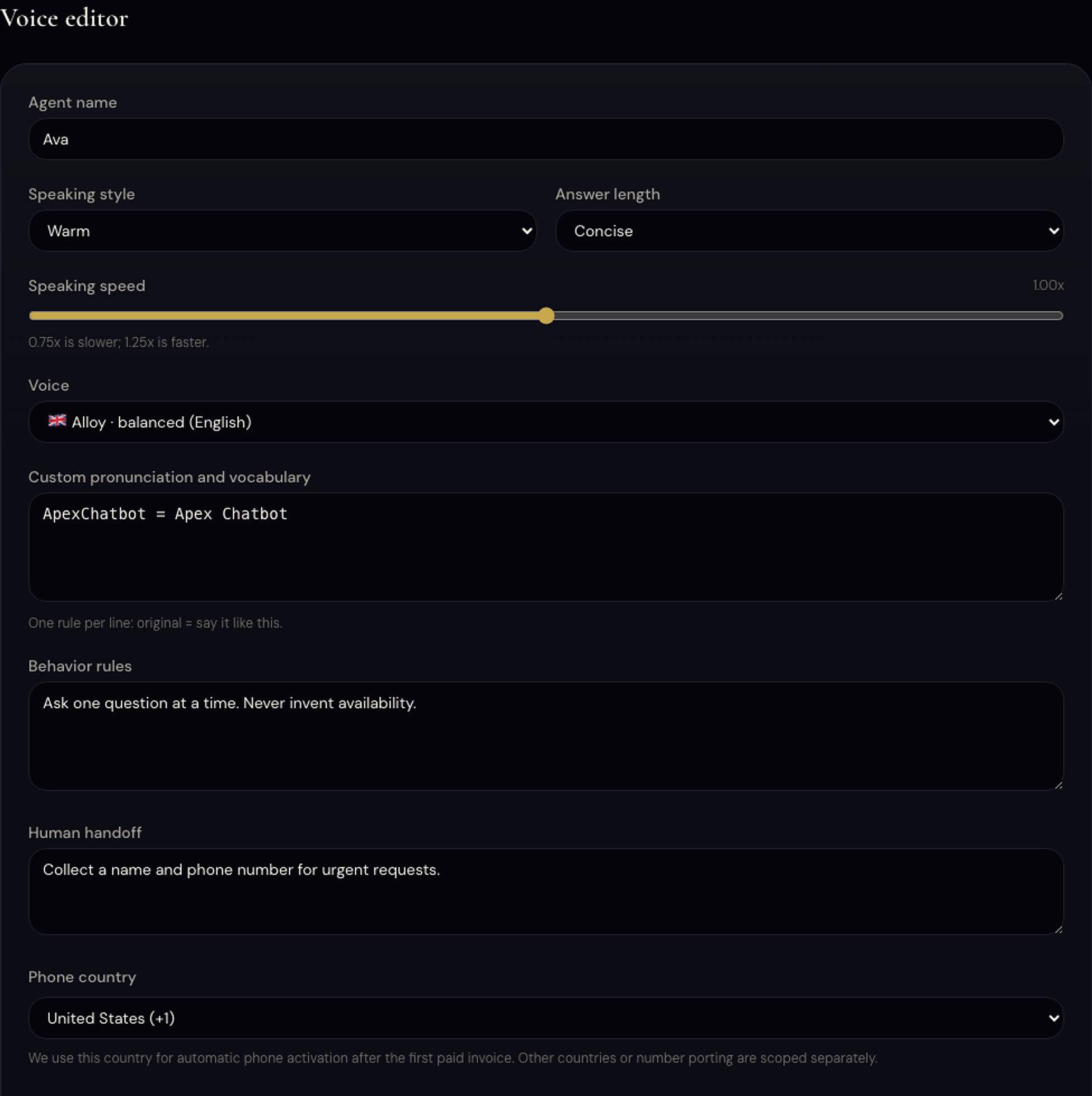
Change the assistant name, greeting, logo, colors, tone, response length, voice, vocabulary, handoff rules, and automation approval policy from the dashboard.
- 4
Go live
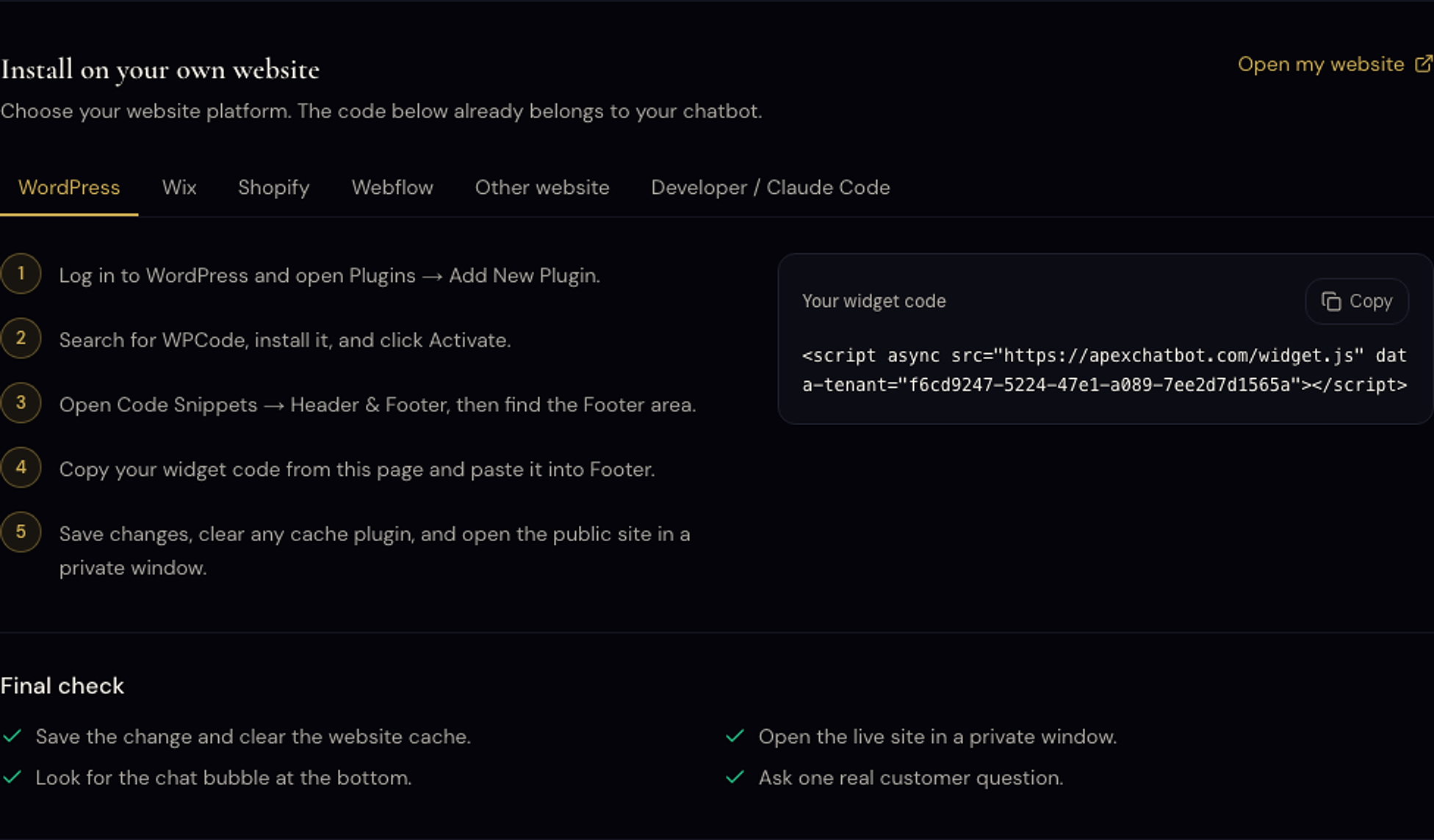
Paste one script into WordPress, Wix, Shopify, Webflow, or any website. Voice and automation activate from their own guided product dashboards.
- 5
Watch usage and improve
See conversations, messages, leads, calls, and minutes. Usage resets monthly and both you and Apex receive alerts at 50%, 80%, and 100%.
How a lead is handled
From question to booking, while you work.
A visitor asks
At 22:40, long after you closed.
It answers from your site
Your hours, prices and services. No made up answers.
The lead is captured
Name, email and what they need, saved for you.
You follow up
You get the details by email and send the booking link.
Your assistant
Hi, do you have anything free on Saturday?
02 / Products
One setup flow for every product
Chatbot
Teach it your business, test real questions, then install one widget script.
Voice Receptionist
Choose the voice, style, vocabulary, greeting, phone country, and handoff rules, then test the receptionist before phone activation.
Automation
Choose triggers, draft types, tone, limits, and approval rules. Nothing is sent without the configured approval step.
Website and Webshop
Choose a template, edit content and branding, preview, then publish when it is ready.
Product tour
One assistant. Three ways it works for you.
Answers from your own website
Prices, opening hours, services. Then it asks for a name and email so you can follow up.
Try it on my site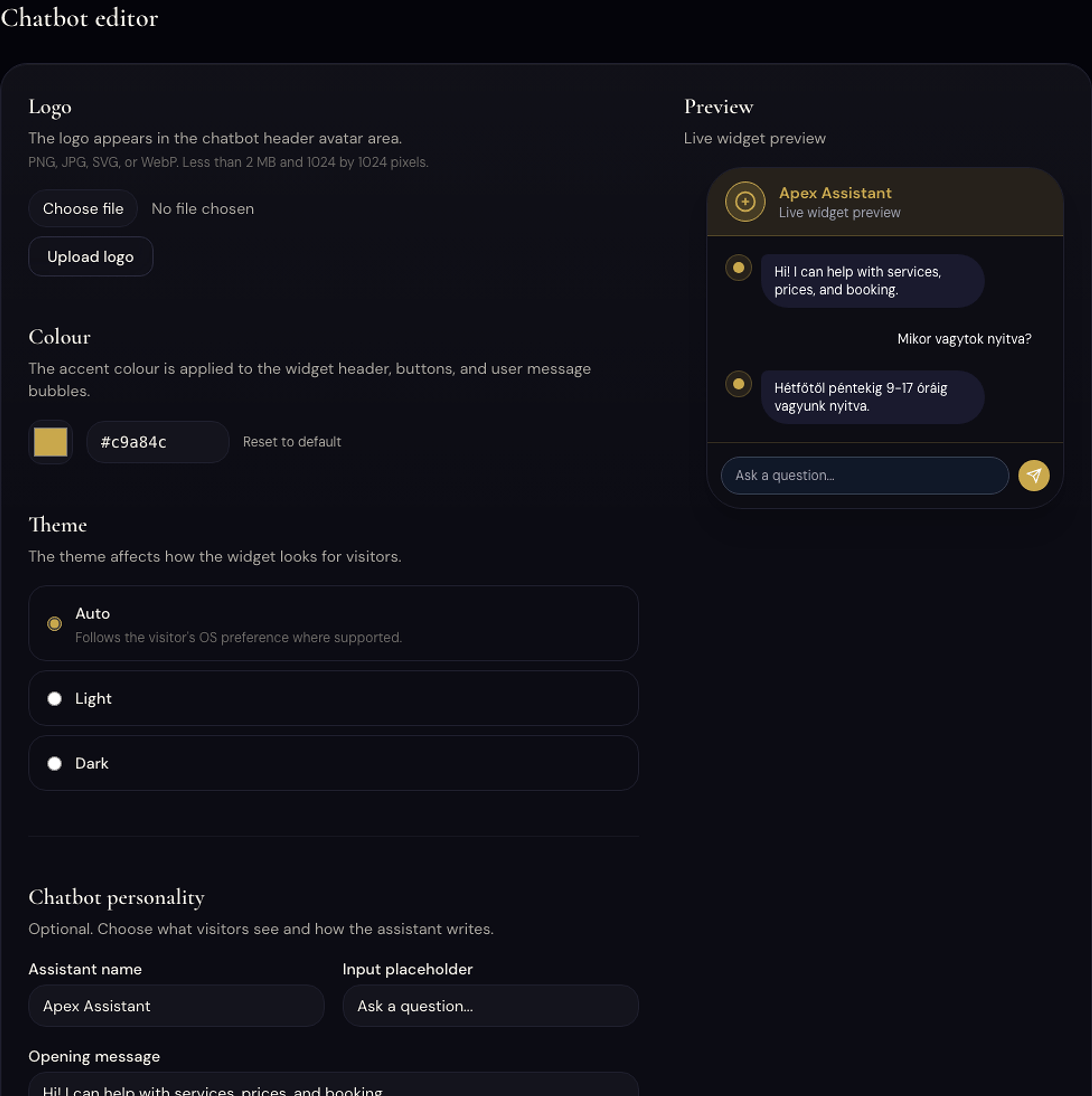
Install
One snippet in your site footer.
Watch the WordPress install, or follow the screenshots.
Try it right now
This is the real product answering. Ask anything about Apex Chatbot.
Proof
Real reviews. Real client work.
Apex Web implementations. Studio references, not SaaS subscriber counts or guaranteed results.
I got what I was promised: a thoughtful, useful AI assistant that works well.
I am very grateful to Apex Web for the fast and extremely professional help.
I cannot thank this young professional enough for his work.
They completed the agreed work to the highest standard while meeting every deadline.
I've worked with APEX Web a couple of times now, and the results are just consistently excellent.
With Adam, we finally found the person we needed.
Great job and a fast delivery.
Adam was excellent to work with.
Adam is a fantastic freelancer.
Great work from Adam.
Great work from Ádám
God Bless you my friend, you exceeded expectations like a rockstar.
I have worked on some projects with Adam, and every experience has been great.
Finally, automation that actually works and I didn't have to build it myself.
Very satisfied!
Thanks for your time!
Excellent work and attention to detail, looking forward to working with Adam again.
Very pleased with this delivery and impressed with the quality of the work output.
Great work
I enjoyed working with the seller as he was responsive, paid attention to details and kept open lines…
Super quick and professional, good documentation to the point, good hints and recomendations.
21 verified public Google and Fiverr reviews of Apex Web, the studio and delivery team behind Apex Chatbot. They cover AI assistants, automation, websites, dashboards and custom software; not every review is about the Apex Chatbot SaaS product.