AI receptionist for accounting firms
Handle new-client inquiries without pulling a partner off a return.
Accounting firms get the same questions every week and every one comes in a rush near a deadline. Apex answers on your website and your phone from your own service pages, qualifies the inquiry and sends your team a clear summary. It never gives tax advice.
Fully managed plans from $299 per month.
Real business questions
The questions customers ask before they convert
Do you work with businesses like mine?
How do your fees work?
What should I prepare for a first meeting?
Can I book a consultation?
Need the detailed question and setup guide? AI intake for expert businesses guide
New-client intake that does not depend on who is free
Most accounting inquiries start the same way: a small business owner or a household looks for help, finds your site, and wants to know if you take clients like them, what it costs and what to prepare. Near a filing deadline those questions arrive faster than a firm can answer them, and the person who answers is usually someone billable.
Apex gives your firm a website assistant and, on Front Desk, an AI phone receptionist. Both answer from your own service pages, fee guidance and onboarding checklist, and both pass the inquiry to your team with the details written down.
What it answers
- Which services you offer: bookkeeping, payroll, tax preparation, advisory.
- Who you work with: sole proprietors, small businesses, nonprofits, households.
- How fees work, in the way you describe them, for example monthly retainers or fixed fees for a return.
- What to prepare for a first meeting or an onboarding, from your own checklist.
- Your hours, your location and how to book a consultation.
What it never does
It does not give tax, accounting or legal advice, interpret a notice, estimate a refund or decide whether the firm will accept a client. It collects the inquiry and your team decides. It also tells visitors not to type confidential details such as Social Security numbers or account numbers into chat. Apex does not promise any regulatory compliance for client financial data, so keep that out of the conversation and in your own secure client portal.
From inquiry to a clean hand-off
Concierge Chat at $299 per month answers on your website, captures every inquiry and notifies you. Front Desk at $799 per month adds the AI phone receptionist on your number or a new one, with an email summary after every call. Revenue Desk at $1,900 per month adds an AI CRM so every inquiry is recorded, with approval-first follow-up and reminder automations. Follow-up and reminder automations are approval-first: a person on your team approves each one before it is sent.
A deadline-week inquiry (illustrative example)
How one call could go under Front Desk. An illustration, not a customer result.
- 4:45 p.m.Your team is heads-down on returns. A small business owner calls: her bookkeeper left and she needs help.
- On answerThe receptionist answers as your firm and asks what she needs: bookkeeping, payroll, tax preparation or something else.
- FitIt confirms that you work with small businesses and explains how your fees are structured, in your own words.
- DetailsIt collects her name, company, callback number and a short description of the situation, and asks her not to share account numbers.
- Hand-offIt offers a consultation request and emails your team the summary. A partner calls back when the deadline pressure allows.
The prospect felt heard the same hour, and nobody stopped a return to take the call.
How a lead is handled
From question to booking, while you work.
A visitor asks
At 22:40, long after you closed.
It answers from your site
Your hours, prices and services. No made up answers.
The lead is captured
Name, email and what they need, saved for you.
You follow up
You get the details by email and send the booking link.
Your assistant
Hi, do you have anything free on Saturday?
Interactive live demo
Ask the live demo how this would work for an accounting firm
This demo answers questions about Apex, not a real firm. Ask how it handles new-client inquiries, what it costs or how setup works. Do not enter confidential client information, such as Social Security numbers or financial records.
Try it right now
This is the real product answering. Ask anything about Apex Chatbot.
Try a real question
Voice demo
Hear it in your browser
Hear the AI receptionist in your browser, no phone number needed. This demo talks about Apex, not a real shop. A phone line runs on a supported US +1 number after activation; a UK number is scoped on request.
Talk to the AI receptionist now
No phone number needed. Allow microphone access, speak in your language, and ask anything about Apex Chatbot.
For this demo, your microphone audio is processed on Apex's own voice server in Germany and by the speech providers listed in our Privacy Policy. This demo is not recorded by Apex.
Setup you can verify
Set the firm's limits before the first inquiry
- 01
Write down how the firm works
List your services, who you work with, how fees are structured, your onboarding checklist and the inquiries you decline.
- 02
Test real inquiries
Try the rushed deadline-week caller, the visitor who asks a tax question, and the one who offers an account number in chat.
- 03
Go live with a clear hand-off
The assistant records the name, contact details and the situation, then your team decides whether to take the client and calls back.
Actual setup, not a mockup
From signup to a live website chatbot, with a guided setup.
Add the facts your customers ask about, test the answers, then copy one snippet. WordPress, Wix, Shopify, Webflow, and custom sites each have their own exact instructions.
- 1Teach it your business
- 2Test real customer questions
- 3Paste one website snippet
Product tour
One assistant. Three ways it works for you.
Answers from your own website
Prices, opening hours, services. Then it asks for a name and email so you can follow up.
Try it on my site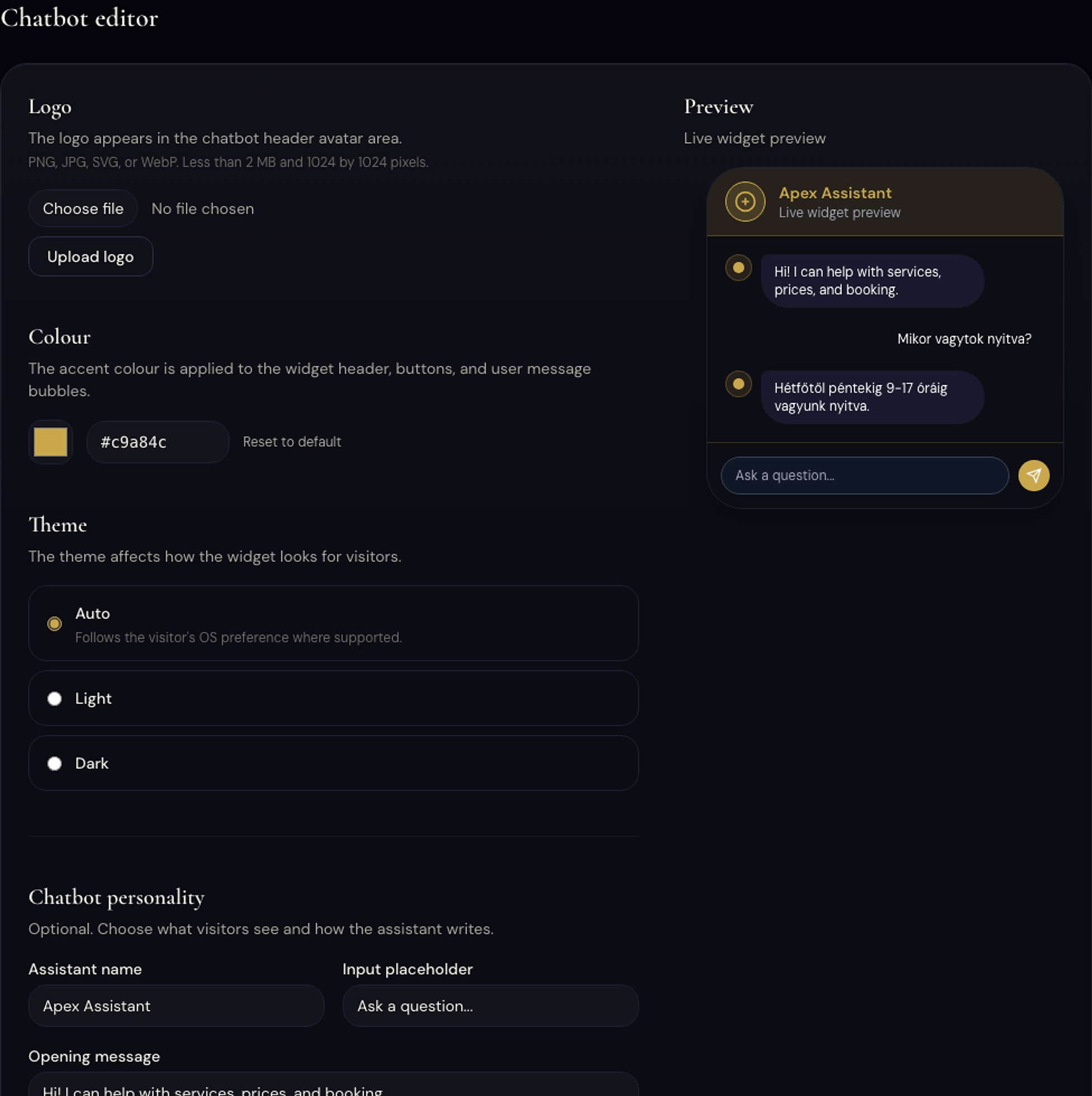
Plans and prices
What Apex costs
Flat monthly prices in US dollars. Fully managed: we build the assistant from your own content, test it with you and tune it every month.
Concierge Chat
$299/month
A website assistant built, trained and tuned for you.
- Trained on your website, services, prices and documents
- Unlimited conversations
- Captures every lead and notifies you instantly
- Never guesses: unsure questions go to a person
- Weekly fixes and a weekly report
- First 30 days of fine-tuning included
Front Desk
$799/month
Your website and your phone line answered day and night.
- Everything in Concierge Chat
- AI phone receptionist on your number or a new one
- Answers calls 24/7, records bookings and callback requests
- Email summary after every call
- Flags urgent calls for the person you choose
- 7-day trial on the phone receptionist
Revenue Desk
$1,900/month
Website chat, phone receptionist and an AI CRM working as one front office.
- Everything in Front Desk
- AI CRM: every lead recorded, follow-up reminders
- Follow-up and reminder automations, approval-first
- Calls back leads who left no message, asks for reviews after the job
- Two integrations connected for you
- Tuned every month from your real conversations
Several locations or several languages? Global starts from $5,000 per month, on proposal.
FAQ
Common questions
Will it give tax or accounting advice?
No. It shares general information you approved and routes any case-specific question to a qualified person on your team.
Can it decide whether we take a client?
No. It collects the inquiry and your team decides, including conflicts, fit and engagement terms.
Should clients type their Social Security number into the chat?
No. The assistant asks visitors not to share confidential details. Keep sensitive client data in your own secure client portal.
Can it answer our phone during tax season?
On Front Desk, the AI phone receptionist answers calls on a supported US +1 number after activation and emails you a summary after every call.
Does anything go out without a human approving it?
Automations are approval-first. A person reviews the draft before a follow-up is sent.